







1. What types of products do you offer??
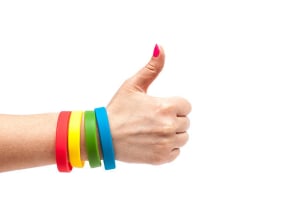
We offer silicone, fabric woven, Tyvek, Yupo, vinyl, RFID and LED wristbands as well as promotional merchandise such as badges, medals, lapel pins and challenge coins.
2. Can I get bulk pricing or a quote for large runs?
Yes. Volume discounts apply and we handle large B2B orders for festivals, schools, hospitality and resorts. Use the Quote Now option or contact 1300 368 980.
3. How fast can you deliver?
Stock items ship quickly from Sydney. Custom production lead times are short and express freight is available Australia-wide.
4. Do you help with artwork?
Yes. Our team can check your files or assist with setup to ensure crisp, on-brand results.
5. Do you ship internationally?
Yes. We fulfil orders across Australia and ship internationally on request.
6. What Are the Costs for Wristbands & Promotional Products?
Non-custom wristband prices vary by product and are listed in our catalogue. Volume discounts may apply for certain in-stock items, shown in the price dropdown on product pages. For custom wristbands, prices depend on quantity and options. Refer to product pages for detailed pricing based on your design and order size. For large orders or inquiries, contact us at 1300-368-980 for competitive quotes.
7.What's the Difference Between Non-Custom & Customised Wristbands?
Non-custom wristbands are ready-to-wear and ship immediately. Customised wristbands, such as custom silicone, Tyvek, and fabric wristbands, require production time, typically dispatched within 8-14 business days with regular shipping or 7-10 business days with express. Minimum order requirements apply for custom items, with expedited production available by contacting the Handband Team to confirm.
8. How Can I Customize My Wristbands?
Handbands can be customised in various ways, including colors, debossing, embossing, and specialty finishes. Debossing involves creating an indented design on the band, while embossing raises the design above the band’s surface. Refer to product pages for more details on customisation options.
9. Are Specialty Colours Available?
Yes! Specialty silicone colors and patterns are available for quantities over 30. Additional processing time may apply for specialty colors. For further details, please check the product pages.
10. What Is "Debossing"?
Debossing is a process where your text or design is indented into the silicone band, creating a durable and long-lasting design that won’t rub off over time. It’s our most popular customisation method.
11. Can I Order Different Colours & Sayings in One Batch?
Each design or message must be added to the shopping cart separately. For example, if you want wristbands with different colors or messages, each needs to be added as a separate product in the cart.
12. What Are the Minimum Order Quantities?
Non-custom wristbands require a minimum order value of $10. Custom products have varying minimums based on type. Silicone wristbands start at 7 units, while larger orders may have higher minimums. Refer to product details pages for more information.
13. Can Handband Handle Large Orders?
Yes, Handband can accommodate orders up to millions of units. For large orders, allow for additional production time. Contact us at 1300-368-980 for a quote and estimated timeline.
14. Are There Any Setup Fees?
No hidden fees! The price you see on the product pages is the price you pay, with no additional setup or moulding fees.
15. What Size Wristband Is Right for Me?
Wristbands come in Extra Large, Large (202 mm), Medium (180 mm), and Small (150 mm) sizes. For further sizing guidance, refer to product details pages for recommendations based on age and wrist measurements.
16. How Many Wristbands Can I Order?
You can order as few as 7 custom wristbands, or quantities over 200 in multiples of 10. Handband offers one of the lowest minimum order quantities on the market. Refer to product pages for specific ordering requirements.
17. What Payment Methods Do You Accept?
Handband accepts all major credit cards, PayPal, and, for schools or government orders, cheque and EFT. Contact us to discuss credit terms for large orders.
18. How Much Is Shipping?
Shipping costs vary by order size and destination. During checkout, you’ll receive an exact shipping quote based on the method selected. International orders may incur customs duties.
19. When Will I Receive My Order?
In-stock orders typically ship within 2-4 business days, while custom orders may take 10-14 business days, depending on the selected shipping method at checkout. Expedited options are available by contacting our customer service team for arrangements.
20. How Can I Track My Order?
Once your order ships, you will receive a tracking number via email, allowing you to track your delivery status on the carrier’s website.
21. What Is Handband's Return Policy?
Non-custom wristbands can be returned within 30 days of purchase if in original condition. Custom products are non-returnable unless defective. Refer to the product pages for more return details.
22. Is Handband Environmentally Responsible?
We strive to minimize environmental impact by using eco-friendly materials and packaging. Handband is committed to sustainable practices wherever possible.